
API Usage
This page shows how to use the JWTs created by qs-jwt to authenticate with Qlik Sense APIs.
QSEoW API Usage
A couple of things are needed to connect to a QSEoW API using a JWT:
- A virtual proxy configured to use JWT authentication
- A JWT containing the claims required by Qlik Sense
The call is then made with the JWT passed along in the "Authentication" http header, using a "Bearer" prefix.
A XSRF protection header is also needed.
This is a combination of an http parameter (Xrfkey) and a header (X-Qlik-Xrfkey), both which should have the same, 16 character string. Ideally it should be a random string that's not re-used between calls.
Using cURL on macOS
curl "https://qliksense.some.company.com/jwt/qrs/about?Xrfkey=abcdefghij123456" \
  -H 'Authorization: Bearer eyJhbGciOiJSUzI1NiIsInR5cCI6IkpXVCJ9.eyJ1c2VySWQiOiJnb3JhbiIsInVzZXJEaXJlY3RvcnkiOiJMQUIiLCJuYW1lIjoiR8O2cmFuIFNhbmRlciIsImVtYWlsIjoiIiwiaWF0IjoxNjQ3NjIxMTk2LCJleHAiOjE2NzkxNTcxOTYsImF1ZCI6ImFiYzEyMyJ9.Pr3CEVlP1HI2Pd__mhooJPrngU_yME7LNHMYRdAjVU0UPUbWgGk2ilABl8AI5W3NEPewWx_Ks-q7JRjKLh7pBkENCR0eiNpwAHrt2xvK0ZBa8XPNYdwJ6ZUf9_lZPsGZhgfeZLpcQU-8jQNpEr770NKZMknMLd1bDyDvKLVZuTbx3iAew4T_sTNZsPMPe-zN05CmOgYyjEfExGWN31_iQp3njLiBtCOf5TmjoZmXw2T_BFQKMhyx6B-hE4vjnOH13EqPclwjpHA1ovrjQlwGyZ6Mwgtrb0wIEUVqijWqkLMVmxNIgHsQn7beFaGWVZVnBDe1cvyNuBiUtQ74yineCtl31xOu8qV2Ls2R19FA-JqwHQUq_amddd06HEvxepaXtnvvTnQvyeXbDOU62MsLZwr9wByJvEEFPLCN7ZLFUe3pN7FwyYhy8fZPylUFJH6XfrA8lyMUJBGUCEe3iyONclKKj2ifizxtO5ETdXuZ7w6Q1kPI8y1eD6scYZcmxhEowzEjWgAjFWPGLHhO9sINqRLcGZFhwW9TxeRgUwQd4_2MG4Z3ctip0UvBjseQcO7XrBjVF0h70iXkyOF51okrzK21IB24rGDnoEV2fgUZ_Nz9nN5qJwyzfSLcctg0I80T99VE3YmjcEMZNSZE3mfA6lAGvXuw7yDXOwPvCik8oX4' \
  -H 'X-Qlik-Xrfkey: abcdefghij123456'
Response:
{
  "buildVersion": "30.4.0.0",
  "buildDate": "10/8/2021 12:43:37 PM",
  "databaseProvider": "Devart.Data.PostgreSql",
  "nodeType": 1,
  "sharedPersistence": true,
  "requiresBootstrap": false,
  "singleNodeOnly": false,
  "schemaPath": "About"
}
Using PowerShell on Windows Server 2016
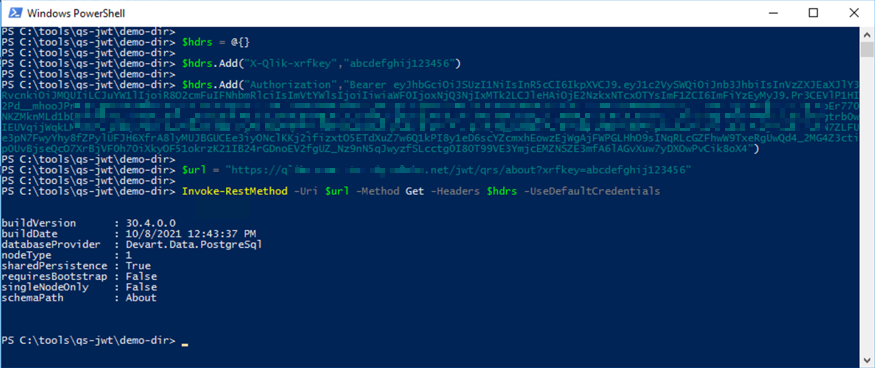
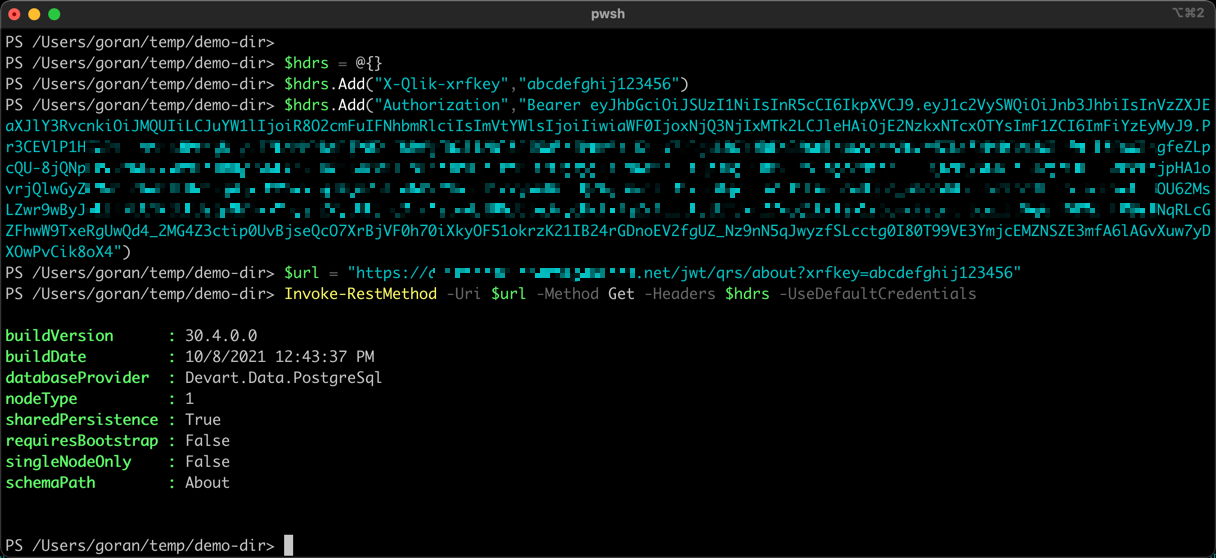
Using PowerShell on macOS
Qlik Sense Cloud
Qlik Sense Cloud is quite flexible when it comes to authentication and Identify Providers (IdPs) and there are officially supported options (e.g. some OAuth based variant) that can probably be used in most scenarios where JWTs are considered.
Still, JWTs are a simple and proven concept that has its own advantages.
Using JWTs with Qlik Sense Cloud consists of two parts:
- Do a call to the
/login/jwt-sessionendpoint, including the JWT Authentication http header. This will return a set of cookies. - Call the desired API. Include the session cookies from step 1. The JWT Authentication header is not needed here.
Using cURL on macOS
# Step 1: Get session cookies
curl \
  -X "POST" \
  "https://<your-tenant>.eu.qlikcloud.com/login/jwt-session" \
  -H 'Authorization: Bearer eyJhbGciOiJSUzI1NiIsInR5cCI6IkpXVCIsImtpZCI6IjAzMzBkM2U3LTE5NjYtNDFjNC1iM2VmLWQzMTFkMWZmNzE5MSJ9.<removed>kIWTxUZf7tv258UUSj4Ef1tYCdYA' \
  -c cookies.txt

# Step 2: Use cookies to call API
curl "https://<your-tenant>.eu.qlikcloud.com/api/v1/spaces" -b cookies.txt
Response:
{
  "data": [
    {
      "id": "619516<removed>bedb",
      "type": "managed",
      "ownerId": "2jG2t<removed>SgXmj3",
      "tenantId": "Ev1d<removed>N7OO",
      "name": "ChargeAmps EV charging",
      "description": "Metrics from an 18-node charging network for electrical vehicles.",
      "meta": {
        "actions": ["create", "read", "update", "delete", "publish"],
        "roles": [],
        "assignableRoles": [
          "consumer",
          "contributor",
          "dataconsumer",
          "facilitator",
          "publisher"
        ]
      },
      "links": {
        "self": {
          "href": "https://<removed>.eu.qlikcloud.com/api/v1/spaces/619<removed>bedb"
        },
        "assignments": {
          "href": "https://<removed>.eu.qlikcloud.com/api/v1/spaces/6195<removed>edb/assignments"
        }
      },
      "createdAt": "2021-11-17T14:50:03.619Z",
      "createdBy": "2jG2t<removed>gXmj3",
      "updatedAt": "2021-11-17T14:50:16.715Z"
    }
  ],
  "meta": { "count": 1 },
  "links": {
    "self": { "href": "https://<removed>.eu.qlikcloud.com/api/v1/spaces" }
  }
}
Using PowerShell on Windows Server 2016
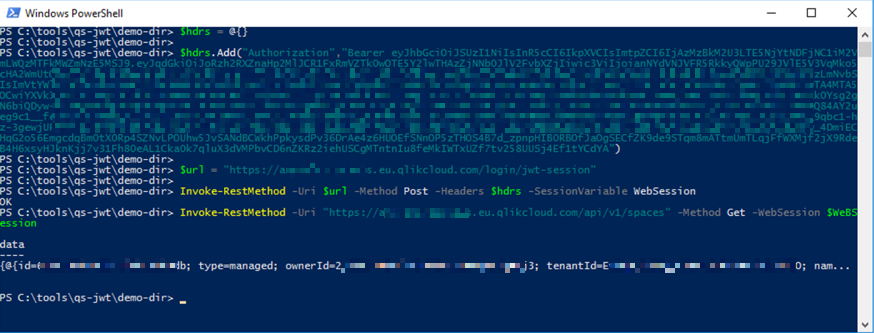
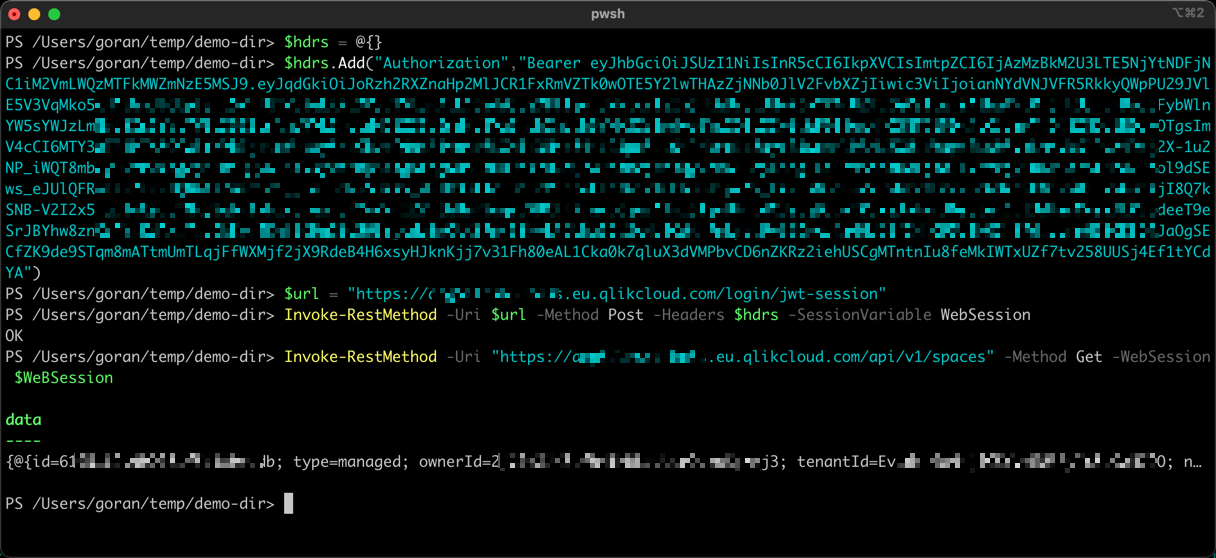
Using PowerShell on macOS
Best Practices
Security
- Always use HTTPS when making API calls with JWTs
- Keep JWT expiration times short (hours or days, not months)
- Store private keys securely and never commit them to source control
- Rotate certificates and keys regularly
Error Handling
- Check for HTTP status codes in your API calls
- Handle JWT expiration gracefully by creating new JWTs
- Validate that your JWT audience/issuer settings match your Qlik configuration
Automation
- Store JWTs in environment variables or secure storage systems
- Use CI/CD systems that can securely handle certificates and keys
- Consider using certificate management systems for production deployments